





Orbit Cards is a collection of modern Home Assistant dashboard cards with a shared visual style, shared editor controls, and support for custom icons, dynamic colours, popups, navigation, and compact grouped layouts.
Orbit Cards currently includes:
| Card | Type | Purpose |
|---|---|---|
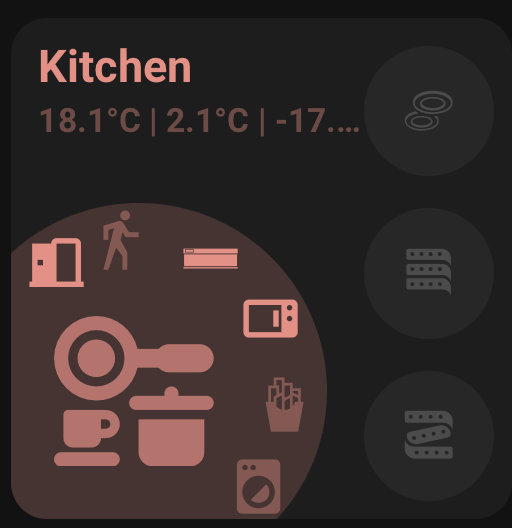
| Area Card | custom:orbit-area-card |
An area overview card with a main entity, area navigation, status entities, side buttons, and curved quick actions. |
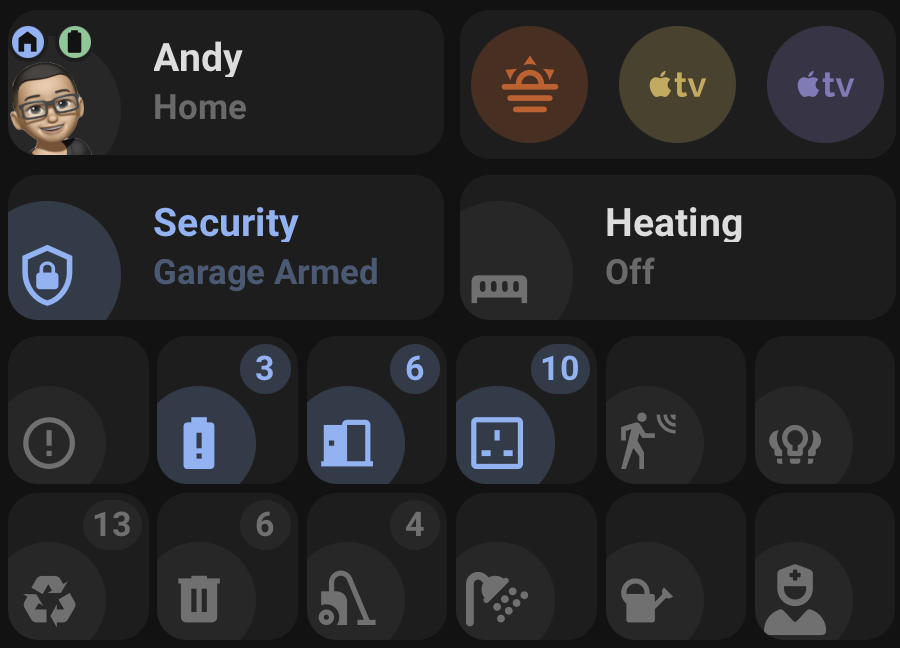
| Status Card | custom:orbit-status-card |
A status summary card with Standard, Icon only, grouped Icon only, and Person modes. |
| Action Card | custom:orbit-action-card |
A compact action card for scenes, scripts, automations, and grouped action shortcuts. |
- Built-in visual editors for all cards.
- Tabbed editor sections with grouped controls for area/card settings, status fields, buttons, curved buttons, and action buttons.
- Shared colour handling across cards.
- Named colours, theme colours, hex colours,
rgb(),hsl(), and light colour support where supported. - Colour preview swatches with a native colour picker and selectable theme colour previews.
- Material Design Icons and local SVG/image icons.
- Tap, hold, navigation, service, popup, and Browser Mod actions.
- Dynamic entity state updates scoped to only the entities used by each card.
- Grouped compact layouts for Status Icon only and Action Card.
-
Open HACS.
-
Go to
Frontend. -
Open the menu and choose
Custom repositories. -
Add:
https://github.com/andyblac/Orbit-Cards -
Select category
Dashboard. -
Install
Orbit Cards. -
Refresh Home Assistant.
-
Add one of the Orbit cards from the dashboard card picker.
-
Download
dist/orbit-cards.jsfrom the repository. -
Copy it to:
/config/www/orbit-cards.js -
Optional: to use bundled
orbit:icons with a manual install, copydist/iconsto:/config/www/icons -
In Home Assistant, go to
Settings->Dashboards->Resources. -
Add this resource:
/local/orbit-cards.js -
Set the resource type to
JavaScript module. -
Refresh Home Assistant.
After updating the JavaScript file, refresh the browser or reload Home Assistant frontend resources. Some browsers and Home Assistant apps cache frontend resources aggressively, so a hard refresh may be needed after manual updates.
- Home Assistant Lovelace dashboards.
- Home Assistant 2025.6.0 and newer recommended.
- HACS or manual resource installation.
- Browser Mod is required only for Browser Mod popup actions.
- Bubble Card is required only for Bubble Card hash popups.
custom:orbit-room-cardremains registered as a legacy alias forcustom:orbit-area-card.room_nameremains supported as a legacy alias forarea_name.- Legacy Area Card configs are migrated when the editor opens:
custom:orbit-room-cardis rewritten tocustom:orbit-area-card, androom_nameis rewritten toarea_name.
For bugs, feature requests, and releases, use the GitHub repository: andyblac/Orbit-Cards
A WiKi guide is available: Here
Created by AndyBlac.